PDF Master Pro & Doc Reader
Tural AbbasbayliTools
3.954.00 Reviews
- Version
- 1.0.8
- Installs
- 1.00M
- Age Rating
- Everyone
Screenshots
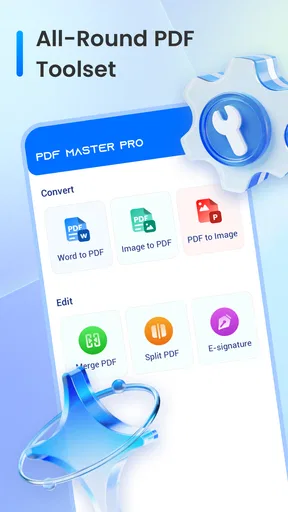
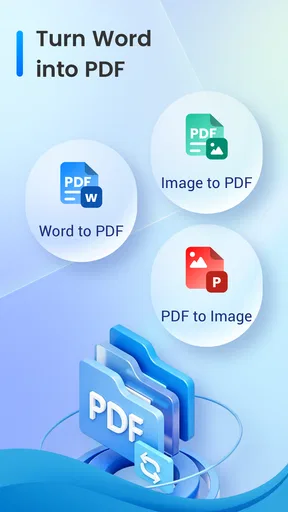
Our Review of PDF Master Pro & Doc Reader
 Analysis by Appyee
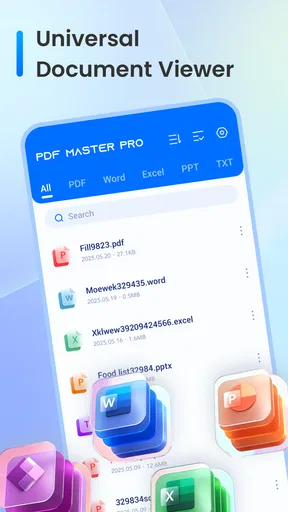
I spent time with PDF Master Pro & Doc Reader as a practical tool for handling PDFs and everyday office paperwork, and my first impression was straightforward: it is aimed at people who want one focused place for document-related tasks rather than a full office suite. It is free to use, carries an Everyone age rating, and comes from developer Tural Abbasbayli. That makes it easy to consider for personal paperwork, school files, receipts, forms, and documents shared through messaging apps.
The app is listed in the Tools category, which fits its purpose better than calling it a writing or productivity suite. Its store summary presents it as a dependable way to manage PDFs and assorted office documents, while the short description keeps things even simpler: “PDF Master Pro.” In my experience, that positioning matters because it sets the right expectation. I would approach it as a document utility first, not as a replacement for a desktop office program.
How PDF Master Pro fits into everyday document work
The most useful way to understand this app is to imagine the small document problems that appear during a normal week. Someone sends a PDF in a chat, a school form arrives by email, a receipt needs checking, or an office document has to be opened quickly while away from a computer. A dedicated reader can be more convenient than opening a large office application for every one of those jobs.
I found the appeal strongest in those short sessions. When I only need to open a document, inspect its pages, and decide what to do next, a focused PDF app feels less distracting than a broad suite built around editing, cloud collaboration, spreadsheets, and presentations. The value is not that it turns a phone into a complete desktop workstation. The value is that it gives document handling its own place on the device.
That distinction also helps explain who should be interested. A student reviewing handouts, a renter keeping copies of agreements, a freelancer checking invoices, or a family member reading official forms may appreciate a dedicated document tool. These users often need reliable access to files more than they need advanced authoring features.
The app has reached over fifty thousand installs and holds a 3.6 average from around one hundred sixty ratings. I read that as moderate interest with room for caution rather than as a reason to dismiss it. A score in that range suggests that the experience may not feel equally smooth for everyone, so I would test it with a few ordinary documents before making it my only document app.
What the free price means in practical terms
The clearest financial advantage is that PDF Master Pro is free. For someone comparing document readers, that removes the immediate purchase decision and makes it reasonable to try the app alongside an existing reader. I can see the appeal for occasional users who do not want to pay for a professional office subscription simply to open paperwork.
At the same time, free access should be judged by what it helps you accomplish, not by an assumption that it includes every advanced document function. I would not choose it expecting the depth of a paid desktop editor, a business document-management platform, or a specialized PDF production tool. Its strongest value is likely to come from convenient access and basic document handling rather than from replacing an entire office workflow.
That makes the cost question fairly simple for light users. If your main need is occasional PDF access and general paperwork management, trying a free tool is sensible. If your work depends on sophisticated editing, dependable batch processing, detailed annotations, or strict business controls, the absence of a paid commitment does not automatically make it the better option. In those cases, capability and consistency matter more than avoiding a subscription or purchase.
There is also a useful way to manage expectations: keep a second app available for tasks that require a different kind of document work. I would use this app as a convenient first stop, then move a file to a more specialized editor when the job goes beyond reading or simple handling. That approach lets the free price work in your favor without forcing one mobile app to do everything.
A realistic workflow for a busy day
Imagine receiving a rental agreement while commuting. I would open it in the reader, scan the pages for the sections I need, and keep the document available for another look later. If I needed to complete fields, add a legally important signature, or make carefully tracked changes, I would first check whether the app supports the exact operation required and then switch to a tool designed for that job if necessary.
This is one of the most important practical tips I can offer: separate reading and organizing paperwork from editing and final submission. A document reader is useful at the beginning of the process, when you need to understand what a file contains. It is not automatically the right tool for the final stage, especially when a form must preserve formatting or when another person expects a specific office-file workflow.
A second helpful habit is to use a small set of test documents before relying on the app. Try a text-heavy PDF, a scanned page, a multi-page form, and an office document you regularly receive. This reveals more than a quick launch does. It shows whether the app fits your actual paperwork, which is more valuable than judging it only by its name or general store description.
I would also avoid treating the app as a filing system by itself unless its organization tools match your habits. Keep a clear folder structure on the device and use descriptive filenames before opening them. Good naming, such as placing the document type and month in the filename, makes any reader more useful and reduces the time spent searching later. The app can be part of a tidy workflow, but it should not be expected to solve disorganized storage on its own.
Where it compares well with familiar alternatives
The usual alternatives fall into three groups: a phone’s built-in document viewer, a broad office suite, and a dedicated professional PDF editor. PDF Master Pro sits between them. Compared with a basic built-in viewer, a dedicated app may feel more intentional for people who frequently handle paperwork. Compared with an office suite, it should be easier to approach when the immediate task is simply document access rather than creating a spreadsheet or presentation.
The trade-off appears when the work becomes advanced. A professional PDF editor is generally the more sensible choice for complex annotations, formal signatures, page restructuring, or business-critical revisions. A full office suite is usually better when the document needs substantial rewriting or when several file types must be edited in one connected workflow. I would choose PDF Master Pro for focused document utility, not for the broadest feature set.
That middle position can be valuable for people who dislike installing a large collection of separate apps. It can also be less satisfying for users who already have a polished office suite that opens every required format and syncs smoothly with their existing work. In that situation, adding another reader may create duplication rather than convenience.
My advice is to compare the app against the specific friction you experience. If your problem is “I need a simple place to open and review paperwork,” it deserves a trial. If your problem is “I need to revise contracts, collaborate with colleagues, and produce final documents,” you should look toward a more specialized or comprehensive alternative.
Small details that can make the experience better
One non-obvious advantage of a focused reader is that it can become a checkpoint before you share a file. I recommend opening a document and reviewing its pages in sequence before sending it onward. This catches common mistakes such as attaching the wrong version, overlooking a blank page, or sharing a form before checking whether all necessary content is present. The app is useful here not because it changes the document, but because it gives you a dedicated review moment.
Another practical workflow is to keep incoming documents separate from finished documents. Save newly received files in one location, inspect them in the app, and move only the files you actually need into a more permanent folder. This prevents downloads from becoming a pile of unverified paperwork. It is a simple system, but a document reader becomes much more helpful when paired with a clear “received, reviewed, completed” routine.
A third trade-off involves phone-based review itself. A mobile screen is convenient for checking a page while traveling, but it is not always comfortable for comparing clauses, studying dense tables, or checking tiny scanned text. I would use the app for quick inspection and routine reading, then move to a larger display when accuracy matters. That is not a flaw unique to this app; it is a limitation of the device context, but it affects how much value you will get from any mobile PDF tool.
For sensitive paperwork, I would also be deliberate about where files are stored and which copy I share. The app’s free availability makes it easy to install, but convenience should not replace your normal care with tax documents, identity records, medical paperwork, or contracts. Use clear filenames, remove duplicate drafts when appropriate, and verify the recipient before sending anything. Those habits improve the safety of the whole workflow regardless of which reader you use.
Compatibility and day-to-day expectations
The listed minimum operating system is Android 8.0, so the app is intended to work with a broad range of Android devices that still meet that requirement. That is useful for people who do not own a recent phone and want a document tool without immediately upgrading hardware. Still, compatibility on paper is only the starting point; the real test is how comfortably your own device handles the files you open most often.
The current version is 1.0.7. I would treat that as a sign to keep expectations practical: the app may be developing, and a focused trial is worthwhile before moving a large document routine into it. Check how it behaves with your normal file types, how quickly you can reach recently used documents, and whether its controls feel clear on your screen size.
One question many readers will have is whether the app is suitable for office work. My answer is conditional. It can be useful for reviewing office paperwork, especially when you are away from a computer or need a quick second look. I would be more cautious about making it the central tool for a team workflow, a high-volume administrative process, or documents where exact formatting and revision history are essential.
Another likely question is whether free means it is suitable for occasional use. Yes, that is where the proposition is easiest to understand. If you open documents only now and then, a free dedicated reader can be a sensible addition. The more your needs move toward editing, collaboration, conversion, and formal document production, the more important it becomes to compare actual capabilities rather than price alone.
Who will get the most from it
I would recommend giving it a try if you are a student who mainly reviews course PDFs, a household user who keeps digital forms, or a freelancer who needs to inspect invoices and client paperwork from a phone. These situations benefit from quick access without requiring a full office environment.
It may also suit someone who receives documents through several channels and wants a dedicated place to review them before filing or forwarding. The app’s role is especially clear when the phone is being used as a pocket document station: open the file, read it carefully, decide whether it needs action, and send it to the next step.
I would skip it as a primary solution if your daily work involves complex PDF production, detailed markup, extensive text changes, or collaboration with people who depend on a particular office platform. I would also hesitate if your existing office suite already handles your documents comfortably. Installing another tool only helps when it removes a real inconvenience.
People who need strong confidence for important paperwork should take the testing advice seriously. Open representative files, inspect pages at different zoom levels, and try the actions you expect to use before deleting another reader. A free app is easy to try, but your documents may be too important for assumptions.
My buy-or-skip verdict
Because PDF Master Pro is free, the decision is not really about whether it is worth purchasing. It is about whether its focused approach earns a place in your document routine. For light PDF reading and general paperwork access, I think it is worth testing, particularly if your current viewer feels limited or inconvenient.
My recommendation is more measured for demanding users. Do not replace a proven professional editor or office suite until this app has handled your real files successfully. Its 3.6 average shows that the experience is not universally convincing, so I would keep a backup option while evaluating it. That is especially sensible for forms, contracts, and work documents that cannot tolerate unexpected friction.
Overall, I see it as a practical free utility for people who want a dedicated document reader without committing to a paid tool. Its best use is as an everyday checkpoint for opening, reviewing, and managing paperwork on Android. If your needs are mostly about access and routine document handling, the low-risk trial makes sense; if you need advanced document production, choose a specialist instead.
For me, that is the honest conclusion: install it when you want a focused PDF and office-paperwork companion, but judge it by your own files and workflow. The app can simplify small document tasks, yet it should remain one part of a broader system when accuracy, editing depth, or professional collaboration becomes the priority.
Privacy and Permissions
See what permissions an app requests and how it handles your data.
- Photos/Media/Files
- read the contents of your USB storage, modify or delete the contents of your USB storage
- Storage
- read the contents of your USB storage, modify or delete the contents of your USB storage
- Camera
- take pictures and videos
- Wi-Fi connection information
- view Wi-Fi connections
- Other
- view network connections, full network access, read sync settings, run at startup, draw over other apps, control vibration, prevent device from sleeping
Verdict
Strengths of PDF Master Pro & Doc Reader
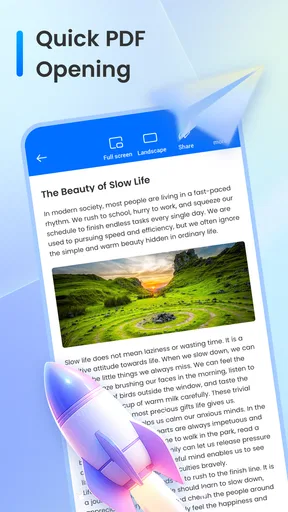
- Opens PDFs quickly, even when switching between several stored documents.
- Useful search tool helps locate words or phrases inside lengthy files.
- Supports dark viewing mode for more comfortable nighttime reading.
- Recent files list makes it easy to resume documents without browsing folders.
- Can work offline once documents are saved on the device.
Limitations of PDF Master Pro & Doc Reader
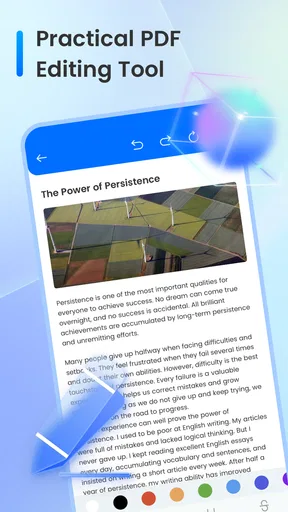
- Advanced editing and conversion tools may require a paid subscription.
- Large scanned PDFs can take longer to load on older phones.
- No built-in cloud storage may limit access across multiple devices.
- Document organization options are fairly basic for heavy users.
- Some features may depend on the file format and not work consistently.
Similar Picks in This Category
View All
Google LLC4.0

Gboard - the Google Keyboard
Google LLC4.5

Google Play services
Google LLC4.3

Google Play Store
Google LLC4.9

Files by Google
Google LLC4.5

SHAREit: Transfer, Share Files
Smart Media4U Technology Pte.Ltd.4.3
Frequently Asked Questions
What is PDF Master Pro & Doc Reader used for?
PDF Master Pro & Doc Reader is designed for opening, reading, organizing, and managing PDF documents on a mobile device. During testing, it was useful for viewing manuals, ebooks, forms, receipts, and work files without needing a desktop computer. Depending on the version, it may also include tools for searching text, bookmarking pages, sharing documents, and handling other common document formats.
Can PDF Master Pro & Doc Reader edit or create PDF files?
The app is primarily intended as a document reader, but some versions may provide additional PDF tools such as annotation, highlighting, signing, merging, conversion, or basic editing. Users should check the feature list shown on the download page because available tools can differ between Android and iOS releases. Advanced editing may also require a subscription or in-app purchase.
Is PDF Master Pro & Doc Reader free to download?
PDF Master Pro & Doc Reader may be available to download at no initial cost, but free access does not necessarily include every feature. Premium tools, an ad-free experience, cloud services, or advanced document functions may be restricted behind in-app purchases or a recurring subscription. Before confirming a purchase, review the pricing, trial conditions, renewal terms, and cancellation instructions in your app store.
Is it safe to open private or confidential documents in the app?
The app can be convenient for viewing personal and professional files, but users should still review its privacy policy and requested permissions before importing sensitive documents. Avoid granting unnecessary access, especially if a permission is unrelated to document viewing. For passports, financial records, contracts, or medical files, confirm how documents are stored, processed, shared, or uploaded before relying on the app.
Does PDF Master Pro & Doc Reader work offline?
Basic reading can often be performed offline after a document has been downloaded or imported onto the device, which makes the app practical during travel or when internet access is limited. However, features such as cloud synchronization, online conversion, document sharing, advertisements, account verification, or subscription checks may require an internet connection. Test the specific tools you need before going offline.
